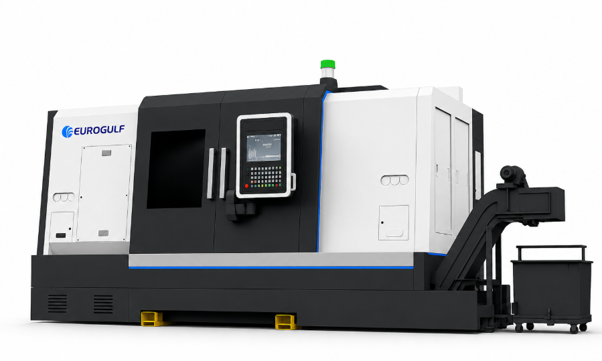
Specifications
Model Specification Table
| WEBFLOW PRODUCT IMPORT - README |
|---|
| Site: 69dc8a7bf198c37ca722c7db |
| WHAT THIS DOES |
| Fill product data in these tabs, then push it to Webflow from the "Webflow Import" menu. References, options, images and PDFs are all handled for you. |
| ONE-TIME SETUP |
| 1. Extensions > Apps Script holds the code. If the menu is missing, reload the sheet. |
| 2. Webflow Import > Set API token -> paste your Webflow token (CMS read+write). Authorize when asked. |
| 3. Webflow Import > Refresh dropdowns from Webflow -> fills every reference/option column with live choices. |
| HOW TO FILL ROWS |
| - You only fill Name and the content columns. Never fill slug or _webflow_id (grey) - the script creates and manages them. |
| - Reference columns (Brand, Product Category, etc.): pick the NAME from the dropdown. |
| - Multi-value columns (Application Examples, Software Packages, Automation, Big Type, Service Support): click the cell, then Webflow Import > Pick multiple for selected cell -> check items -> Apply. |
| - Hero Highlights: click the cell, then Webflow Import > Edit highlights list -> one line per bullet -> Apply. |
| - Option columns (Orientation, Spec Group, FAQ tags): pick from the dropdown. |
| - Best Seller: TRUE/FALSE or Yes/No. |
| - Images / Brochure PDF: paste a PUBLIC link. Dropbox links and Webflow CDN links work and auto-convert. Google Drive is unreliable - avoid it. |
| - Numbers: plain numbers (commas are ok). |
| PUSHING TO WEBFLOW |
| - Sync ALL tabs (in order) -> pushes every tab in dependency order. |
| - Sync ACTIVE tab only -> pushes just the open tab. |
| - Sync SELECTED row(s) only -> select the row(s) you changed, pushes only those. |
| - New items are created as DRAFTS. Publish in Webflow when ready (or set PUBLISH_AFTER_SYNC = true in the code to auto-publish what each sync touches). |
| NO DUPLICATES |
| The slug is built from the Name and used to match existing items: found = update, not found = create. Re-running is always safe. Do not rename a product if you want it to keep updating the same item. |
| FORMATTING |
| Webflow Import > Format / beautify tabs -> styles headers, sets column widths, wraps long text, mutes the slug/_webflow_id columns. |
| PULL FROM WEBFLOW |
| Webflow Import > Pull existing items into ACTIVE tab -> fills the open tab with what is already in that Webflow collection (names, options, image URLs) so you can edit in |

Core Capabilities
Complete Machining Capabilities
Achieve precision and efficiency with full multi-axis machining in a single setup.
Annual Maintenance Contract & Preventive Maintenance
Breakdown Maintenance
Spare Parts & Accessories
Machine Calibration
Retrofit Solutions
Machine Relocation, Installation & Commissioning
Machine Reconditioning
Workholding, Tooling, Robotics & Automation
Support
Service & Engineering Support
Beyond the machine—comprehensive support throughout your ownership journey
Add Ons / Contracts
Frequent Calibration
Operator Training
Preventive Maintenance
FAQ
Important things to know
See why 70% of Tier-1 Customers are Loyal to us
What do EuroGulf provide?
Complete CNC solutions—from machines to lifecycle support.
Do you support multiple CNC brands?
Yes. Multi-brand machines, one service partner
Do you integrate automation?
Yes. Robotics, gantry systems, and machine tending.
Why choose a single partner?
Simpler operations. Clear accountability.